Master
Encoder battery alarm: change it with power ON
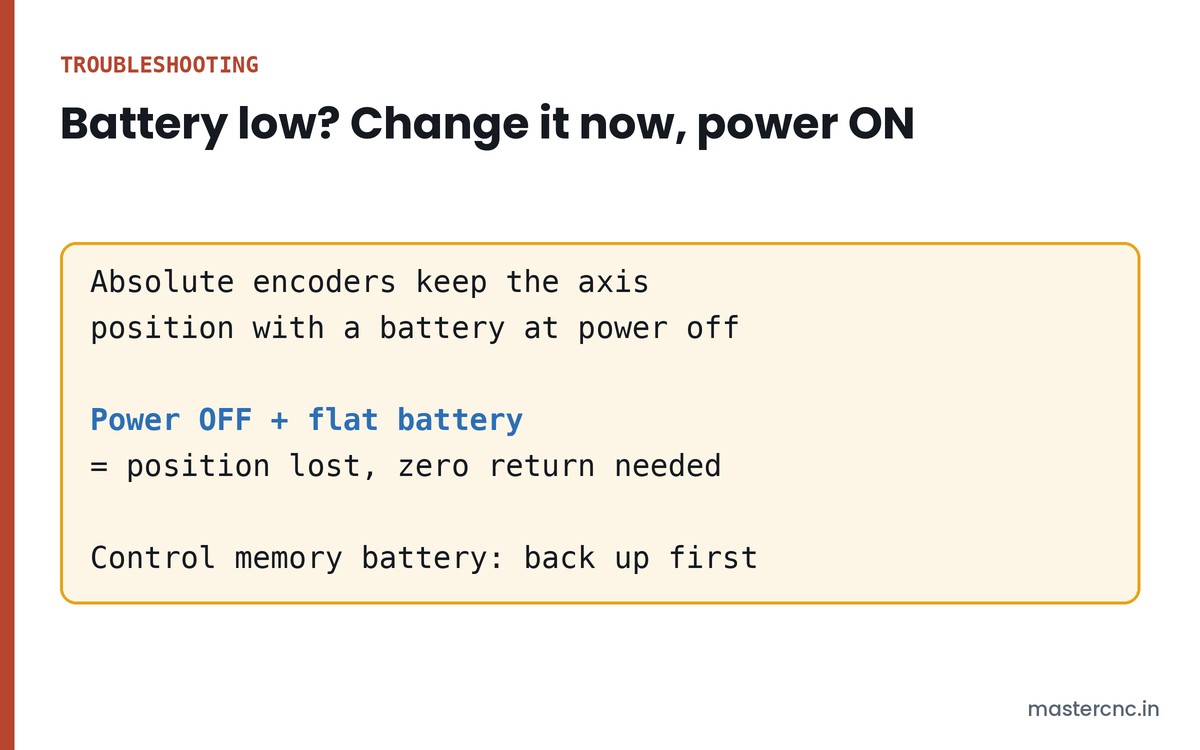
Many CNC machines use absolute encoders: when you switch on, the axes already know where they are, with no reference return. That memory is kept by batteries while the power is off. When the control warns that these batteries are low, change them soon, and with the power on.
Two kinds of battery
- Absolute encoder batteries: keep the axis positions when the machine is off. Often a pack of batteries in a box near the servo drives, or one in each drive.
- Control memory battery: on many controls, keeps parameters, programs and offsets in memory. Usually in the control unit itself.
Why change them with the power ON
While the machine is on, the encoders are powered by the machine. If you change the batteries with the power off, there is nothing to keep the position memory alive, and the machine loses its absolute position. Then the axes need a new reference setting, which on some machines is a maintenance job with its own procedure.
Follow the machine builder's procedure: usually emergency stop pressed, power on, change the batteries, check the alarm clears.
What if they ran flat?
- The control shows an alarm that the absolute position is lost (on Fanuc often in the APC or DS alarm group).
- The axes must be referenced again, following the builder's procedure.
- Check tool change positions, soft limits and work offsets afterwards: they all depend on the reference.
The memory battery
If the control's memory battery runs flat while the power is off, parameters, programs and offsets can be lost. Back up parameters, programs, offsets and pitch error data regularly to a memory card or USB stick, and always before changing that battery.
Good habits
- Replace batteries on a schedule (many shops do it yearly), not only at the alarm.
- Keep spare batteries of the right type in stock.
- Keep a current backup of the control data.
Battery types, locations and procedures differ by control and builder: check your maintenance manual before starting.
Calculators, process sheet to program, simulation, codes and lessons. Free to start, no sign-in, on phone and laptop.
Open the app