Master
Fanuc Macro B basics: variables, IF and WHILE
Custom Macro B turns G code into a simple programming language: variables, maths, conditions and loops. With it, one program can cut a whole family of parts, count parts, or run probing cycles. You need the macro option on the control (most modern Fanuc controls have it).
Variables
| Range | Type | Kept after power off? |
|---|---|---|
| #1 – #33 | Local: inside one macro call | No |
| #100 – #199 | Common: shared by all programs | No (cleared at power off) |
| #500 – #999 | Permanent common | Yes |
| #1000 and up | System: positions, offsets, alarms, time | Depends |
A variable can be used in place of any number: G01 X#1 Z#2 F#3. An empty variable (no value) is not the same as zero.
Maths
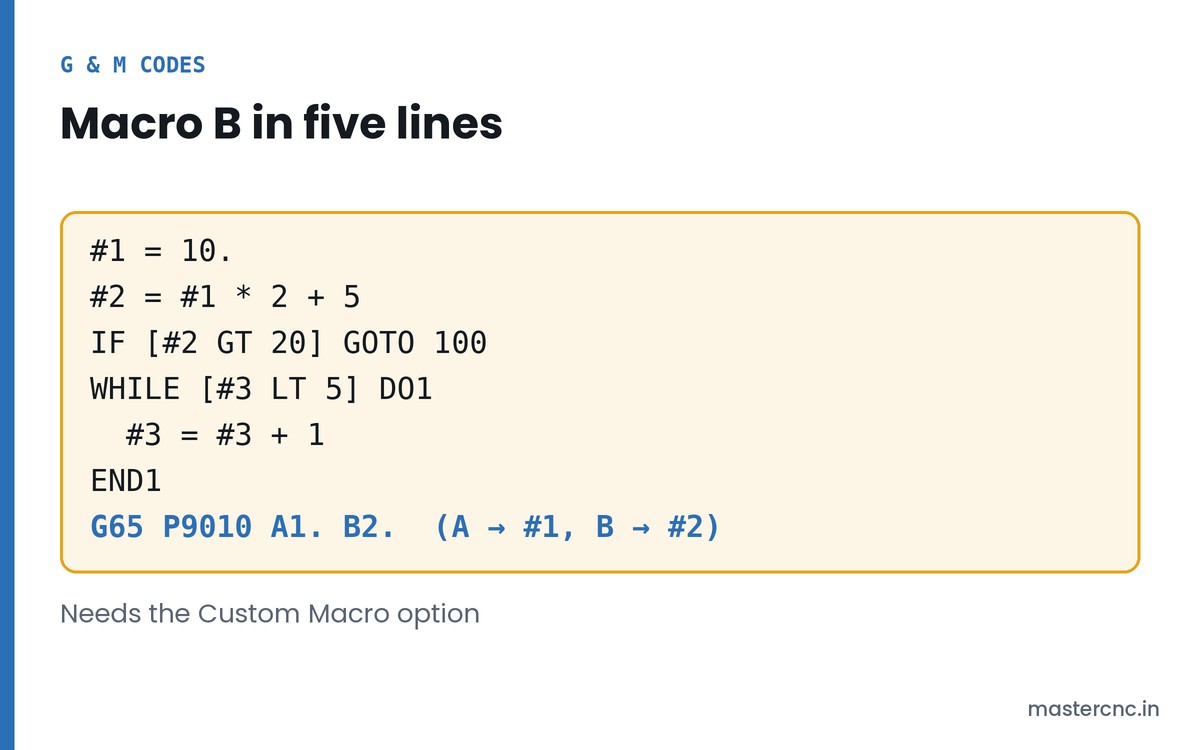
#1 = 10.
#2 = [#1 + 5.] * 2  (= 30)
#3 = SQRT[#1 * #1 + 25.]
#4 = SIN[30.]  (angles in degrees)
#5 = ROUND[#2 / 7.]
Square brackets [ ] group the maths. Functions include SIN, COS, TAN, ATAN, SQRT, ABS, ROUND, FIX (round down) and FUP (round up).
IF and GOTO
IF [#1 GT 20.] GOTO 100
...
N100 ...
Comparisons: EQ (equal), NE, GT (greater), GE, LT, LE.
WHILE loops
#3 = 0
WHILE [#3 LT 5] DO1
  G00 X[#3 * 10.]
  #3 = #3 + 1
END1
DO1 … END1 is a loop; you can nest DO2 and DO3 inside it.
Calling a macro with arguments: G65
G65 P9010 A20. B5. C0.2
Runs program O9010 with A in #1, B in #2 and C in #3. Other letters map to fixed variables too (for example X → #24, Y → #25, Z → #26, R → #18).
Example: a part counter that stops the machine
#500 = #500 + 1  (count parts, kept after power off)
IF [#500 LT 50] GOTO 10
#3000 = 1 (TOOL LIFE - CHANGE INSERT)
N10 M30
#3000 = n raises an alarm with your message and stops the program. Reset #500 to 0 after changing the insert.
Common mistakes
- Using #100 – #199 for something that must survive a power cycle.
- Overwriting #500 variables used by a probe or the machine builder. Check which ones are free.
- Forgetting the decimal point in arguments: A20 may be read as 0.020.
- An endless WHILE loop: the condition never changes.
A worked example, a bolt hole circle macro, follows in the next batch of posts. Always test macros in graphics or single block with the machine locked first.
Calculators, process sheet to program, simulation, codes and lessons. Free to start, no sign-in, on phone and laptop.
Open the app