Master
G00 vs G01: rapid and feed moves
G00 and G01 are the first two codes everyone learns, and the ones behind most crashes. G00 moves as fast as the machine can, to get somewhere. G01 moves at a controlled feed, to cut. The details matter more than they look.
G00: rapid positioning
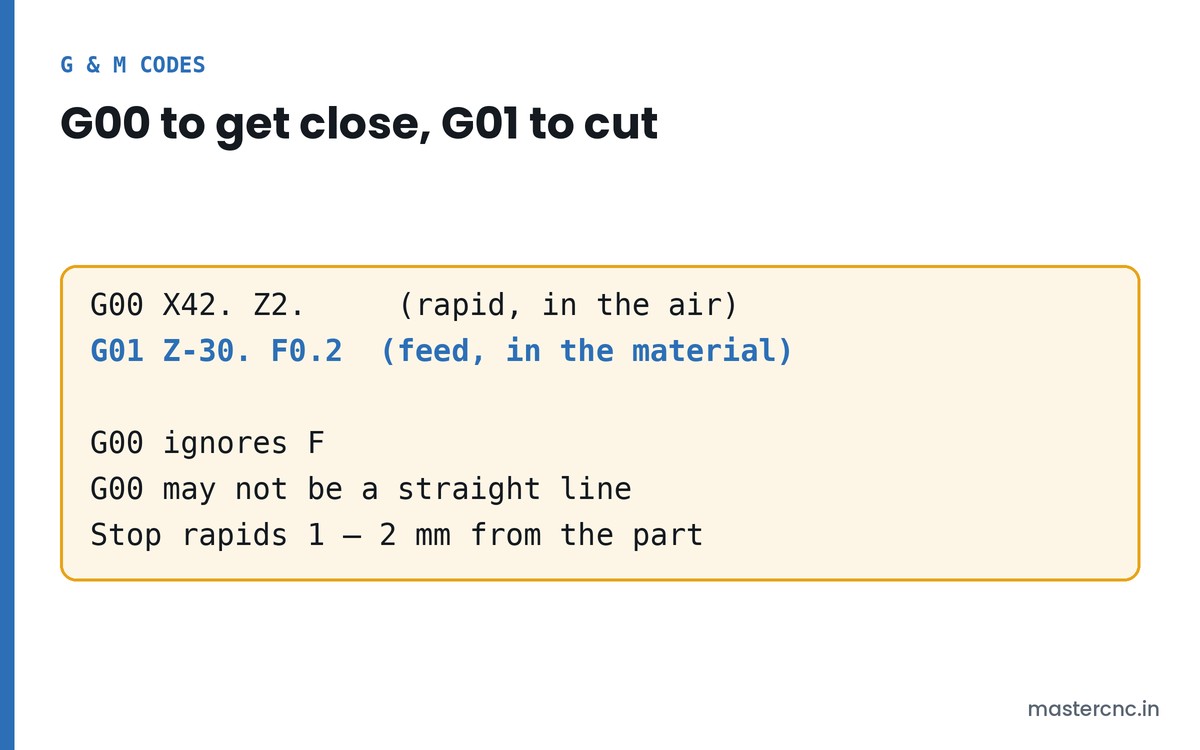
- Moves at the machine's rapid rate, often 20 – 50 m/min. The F word is ignored.
- Controlled by the rapid override switch (for example 100 %, 50 %, 25 %, F0).
- It is modal: it stays active until another motion code (G01, G02, G03) replaces it.
G01: linear interpolation
- Moves in a straight line at the feed F: mm/rev on a lathe in G99 (or G95), mm/min on a mill in G94.
- Controlled by the feed override switch.
- Without an F value the control stops with a "no feedrate" alarm (PS0011 on many Fanuc controls).
A rapid move may not be a straight line
On many controls each axis in a G00 move runs at its own maximum speed. If X has 10 mm to go and Z has 100 mm, X arrives first and Z carries on alone. The path is a "dog-leg", not a straight line. Some machines have a parameter for straight-line rapids, but never rely on it near clamps, the tailstock or the part.
Safe habit: when a rapid could hit something, split it into two moves, one axis at a time.
(lathe: going home)
G00 X150.  (X out first)
Z100.  (then Z back)

(mill: going to the next part)
G00 Z50.  (up first)
X120. Y40.  (then across)
How close may G00 go?
Stop the rapid 1 – 2 mm from the material (on the clearance plane), then continue with G01. On castings or rough stock, allow more. Never rapid to a point that is on or inside the stock.
G00 X42. Z2.  (2 mm in front of the face)
G01 Z-30. F0.2  (cut)
X46.  (step out at feed)
G00 Z2.  (back in the air)
When G01 is used without cutting
Use G01 instead of G00 for moves close to the part, in tight spaces, or when entering a bore with a boring bar: a controlled move at a known speed is easier to stop with feed hold.
Common mistakes
- G00 left active from the previous block, so the next "cut" happens at rapid.
- Rapid into the stock because the start point was taken from the finished size.
- Diagonal rapid past a clamp, assuming a straight-line path.
- Proving a new program at 100 % rapid. Use 25 % or lower (see safe prove-out).
Every new program should be simulated first: the simulator shows rapids and feed moves in different colours.
Calculators, process sheet to program, simulation, codes and lessons. Free to start, no sign-in, on phone and laptop.
Open the app