Master
G10: setting offsets from the program
G10 lets a program write offsets: work offsets, tool lengths, radii and wear. It is useful for setups that repeat on a fixture, for automatic size correction, and for probing results. It is also a quiet way to overwrite a good offset, so use it with care.
Work offsets on a mill
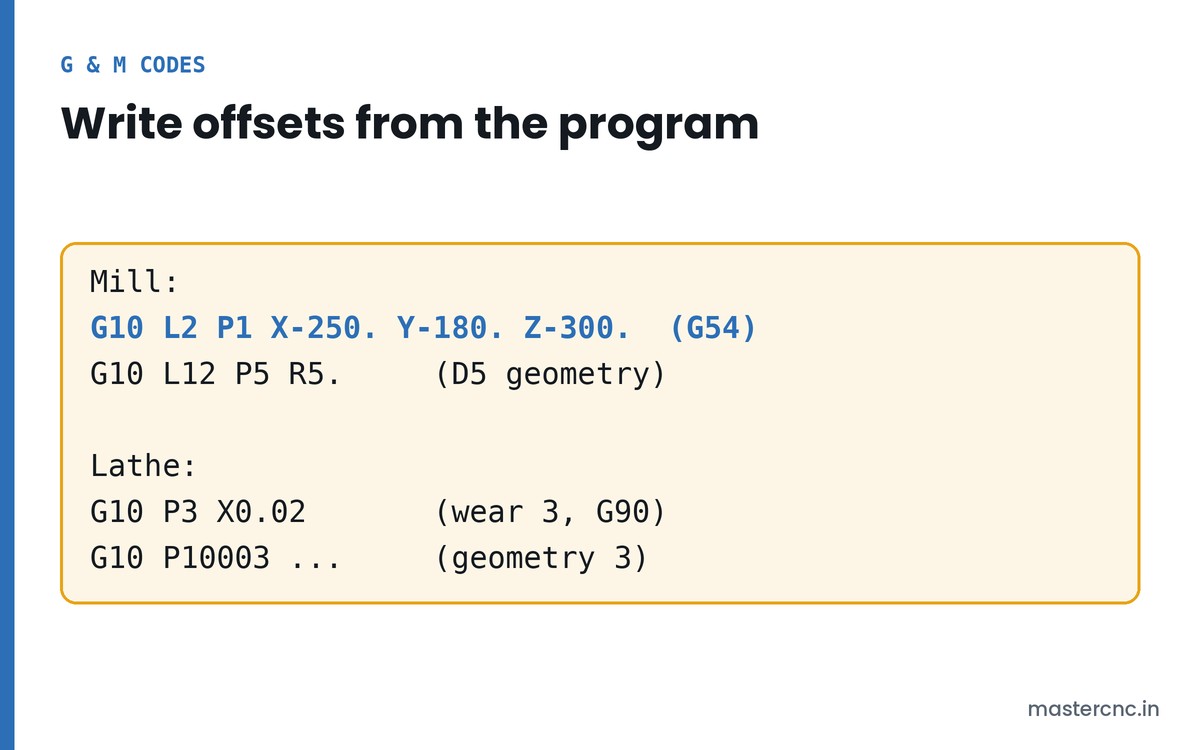
G90 G10 L2 P1 X-250. Y-180. Z-300.  (writes G54)
G90 G10 L2 P2 X-150. Y-180. Z-300.  (writes G55)
- L2 = standard work offsets. P1 – P6 = G54 – G59. P0 is the external (common) offset.
- L20 = extended work offsets G54.1 P1 – P48 (when the option is present).
Tool offsets on a mill
On controls with separate geometry and wear (offset memory C):
| L | Writes |
|---|---|
| L10 | Length (H) geometry |
| L11 | Length (H) wear |
| L12 | Radius (D) geometry |
| L13 | Radius (D) wear |
G90 G10 L12 P5 R5.  (D5 geometry = 5.0)
G90 G10 L13 P5 R-0.02  (D5 wear = -0.02)
Tool offsets on a lathe
G10 P3 X0.02 Z0.  (wear offset 3)
G10 P10003 X-150.2 Z-310.5 R0.8 Q3  (geometry offset 3)
On Fanuc lathes, P1 – P64 are wear offsets and P10000 + n the geometry offsets. R is the nose radius and Q the tip direction. U and W can be used to add to the existing value.
Absolute or incremental
- In G90, the value replaces the offset.
- In G91 (or with U/W on a lathe), the value is added to it.
Always state G90 or G91 in the G10 block; a G91 left over from earlier turns a "set" into an "add".
Good uses
- A fixture that always sits in the same place: the program sets G54 – G57 itself.
- Automatic correction after in-process measurement or probing.
- Resetting wear offsets at the start of a new insert.
Risks
- It overwrites without asking. A wrong number or P word changes the wrong offset.
- Restarting the program from the middle runs or skips G10 lines unexpectedly.
- Operators correct the offset on the screen, and the program overwrites it again at the next cycle.
L and P meanings vary with control model and options. Check your manual and test G10 lines in single block while watching the offset page.
Calculators, process sheet to program, simulation, codes and lessons. Free to start, no sign-in, on phone and laptop.
Open the app