Master
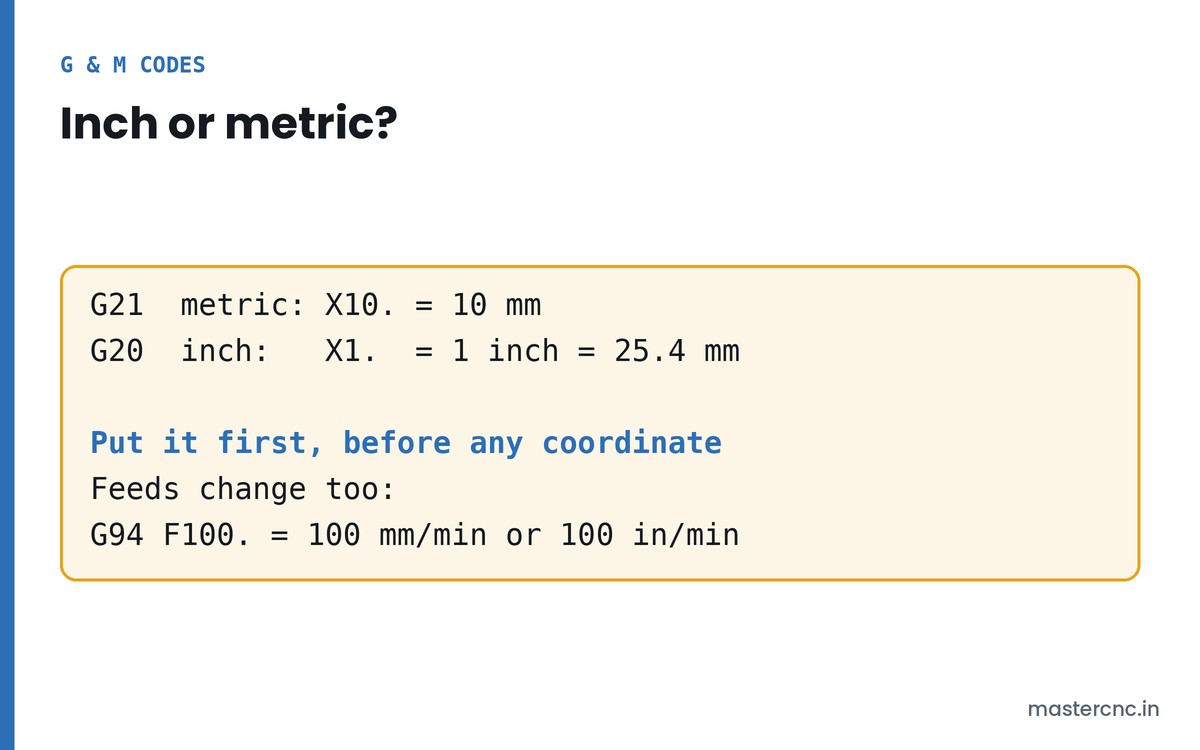
G20 and G21: inch and metric programs
G21 sets millimetres, G20 sets inches. One code changes the meaning of every number in the program: coordinates, feeds and more. That makes it simple to use and very costly to get wrong.
What changes
| G21 (metric) | G20 (inch) | |
|---|---|---|
| X10. | 10 mm | 10 inches (254 mm) |
| F0.2 (per rev) | 0.2 mm/rev | 0.2 in/rev (5 mm/rev!) |
| F300. (per minute) | 300 mm/min | 300 in/min |
Cutting speed in G96 also follows the unit: metres per minute in G21, feet per minute in G20 on most controls.
Where to put it
At the very start of the program, in its own block or in the safe start line, before any coordinate, offset call or feed:
O1234
G21 (METRIC)
G90 G54 G17 G40 G49 G80
...
Many machines power up in the unit set by a parameter. Writing G21 or G20 in every program means the program does not depend on that setting.
The decimal point trap
A number without a decimal point can be read in the smallest unit: X10 may mean 0.010 mm in metric or 0.0010 inch in inch mode, depending on a parameter. Always write the decimal point on dimensions: X10.
Offsets and units
Tool and work offsets are stored in the machine's setting unit. On many controls they are not converted automatically when a program switches between G20 and G21. Mixing inch and metric programs on one machine needs care: check your manual before you do it, and never switch in the middle of a job.
Converting a drawing
1 inch = 25.4 mm exactly
mm  = inch × 25.4
inch = mm ÷ 25.4
Round only at the end, and keep four decimal places in inch and three in mm.
Common mistakes
- No G20/G21 in the program, and a machine set to the other unit.
- An inch feed per rev (F0.008) run in metric: 0.008 mm/rev, almost no cutting.
- A metric feed run in inch mode: 25 times too fast.
- Missing decimal points on dimensions.
The Master CNC app calculators switch between mm and inch with one button. Programs: always state the unit at the top.
Calculators, process sheet to program, simulation, codes and lessons. Free to start, no sign-in, on phone and laptop.
Open the app