Master
Measuring tool length: presetter vs machine setter
Every tool needs its length in the H offset before it cuts (see G43). There are three common ways to measure it. Which one is best depends on how many tools you change and how accurate the length must be.
1. Offline presetter
A measuring machine next to the CNC, usually with a camera. The tool, in its holder, sits in a spindle-like seat and the presetter measures length and diameter.
- For: the CNC keeps cutting while you measure. Measures diameter and radius too. Can send data straight to the control.
- Against: cost. It measures in a cold, clean seat, not the warm machine spindle.
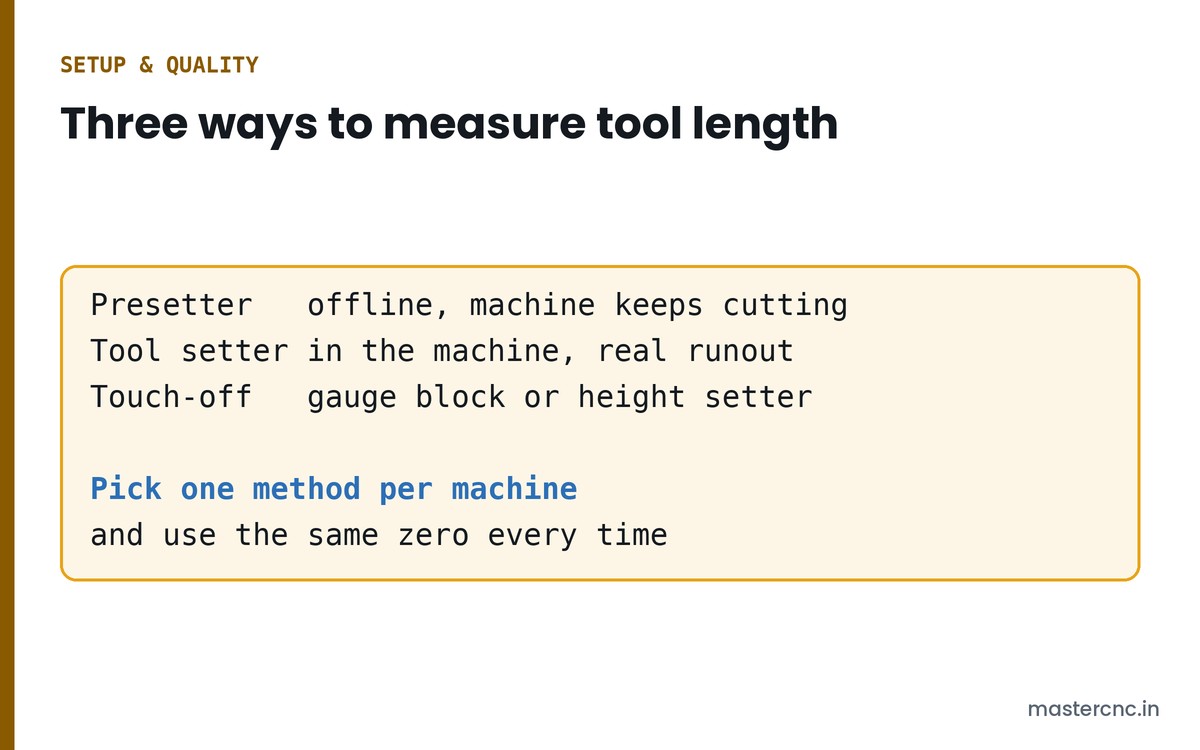
2. Tool setter in the machine
A contact probe or laser on the table. A macro brings each tool to it and writes the length into H.
- For: measures the tool in the real spindle, at working temperature. Can check for broken tools during the cycle. Automatic.
- Against: takes machine time. Lasers need clean air and coolant control. Contact setters need careful approach speeds for small tools.
3. Manual touch-off
Bring each tool down to the part top or a height setter (a spring-loaded gauge of known height, often 50 mm), then enter the value.
- For: no extra equipment.
- Against: slow, depends on the operator's feel, and the part top must be clean and flat.
Never touch a running tool by hand, and never touch off with paper on carbide edges in a spinning spindle.
Keep one reference
Whatever you use, every tool on a machine must be measured from the same zero: the spindle gauge line (presetter and most tool setters) or the part top (manual touch-off). Mixing them gives lengths that are off by the whole gauge-line distance.
Which to choose
| Situation | Good choice |
|---|---|
| Many tools, frequent changes | Presetter |
| Lights-out or unmanned work | Tool setter with breakage check |
| Small shop, few tool changes | Touch-off with a height setter |
Common mistakes
- Measuring a tool in a dirty holder taper.
- Entering the length into the wrong H number.
- Forgetting to add the height setter's 50 mm.
Check the first Z move of every new tool in single block, whatever the method.
Calculators, process sheet to program, simulation, codes and lessons. Free to start, no sign-in, on phone and laptop.
Open the app