Master
Checking backlash with a dial gauge
Backlash is the small lost motion when an axis reverses direction: the control moves the motor, but the slide does not move until the play in the screw, nut and bearings is taken up. A little is normal and the control compensates for it. Too much shows up on parts.
Signs of backlash on parts
- Steps or marks at the quadrant points of circles (0°, 90°, 180°, 270°).
- Bores and bosses milled with G02/G03 slightly oval.
- Positions that are good from one direction and off from the other.
How to measure it
- Fix a dial indicator (0.001 mm is best) so it touches something on the moving axis: for X on a mill, the indicator on the table and the tip on the spindle housing, or the other way round.
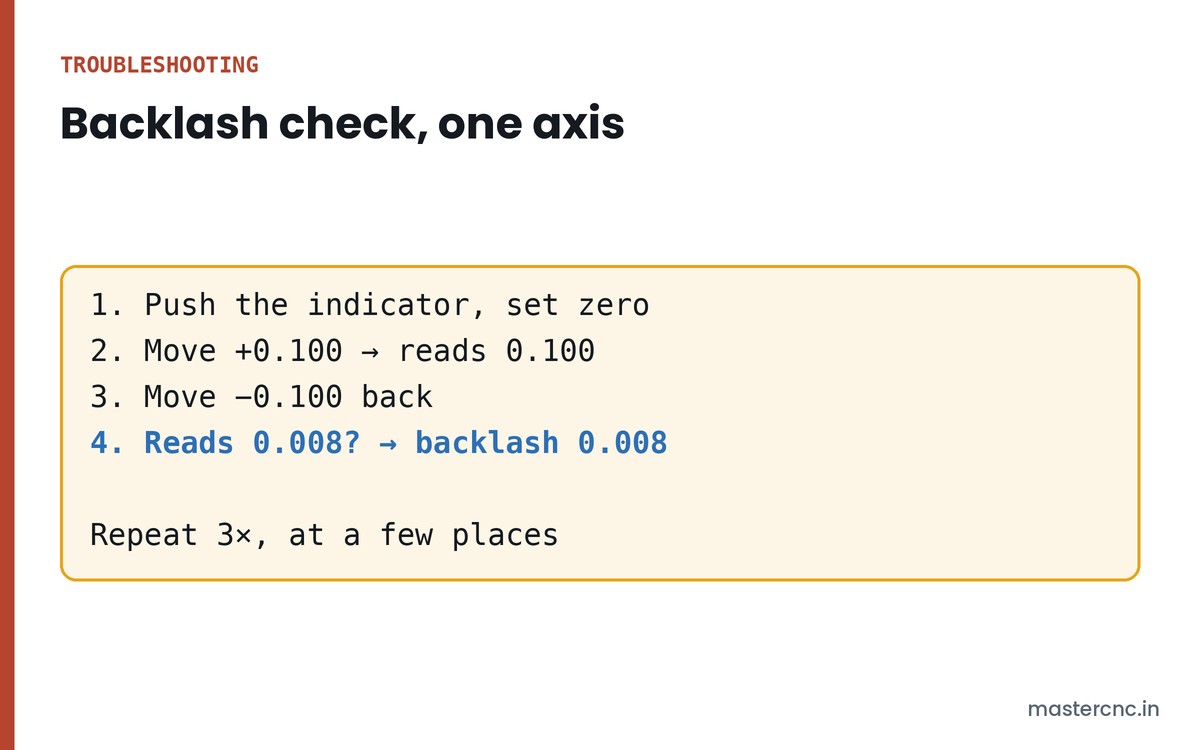
- Move the axis with the handwheel in one direction until the indicator reads a little, then set the indicator to zero. You have now taken up the play in that direction.
- Move a further +0.100 mm in the same direction. The indicator should read 0.100.
- Now reverse: move −0.100 mm. If the indicator reads 0.008 instead of 0, the backlash is about 0.008 mm.
- Repeat a few times, and at the middle and ends of the travel.
What is normal
On a machine in good condition with ball screws and compensation set, the measured reversal error is usually a few microns. Compare with the machine builder's specification and, best of all, with your own values from when the machine was new or last serviced.
What to do with the result
- Small and stable: nothing; the control's backlash compensation handles it.
- Bigger than before: report to maintenance. Causes include worn ball screw nuts or support bearings, loose couplings, or loose gibs.
- Do not change compensation parameters yourself: that hides wear and can make things worse.
Better test
A ballbar test (a precise telescoping bar moved in a circle) shows backlash, squareness and servo errors at once. Many service companies offer it.
Record your backlash readings once a year. A rising trend warns of wear long before parts go bad.
Calculators, process sheet to program, simulation, codes and lessons. Free to start, no sign-in, on phone and laptop.
Open the app