Master
G51 scaling and G51.1 mirror image
Some parts come in pairs: a left-hand and a right-hand bracket, or the same pocket at two sizes. Instead of writing two programs, you can mirror or scale one. Fanuc machining centres use G51 for scaling and G51.1 for mirror image (both often options).
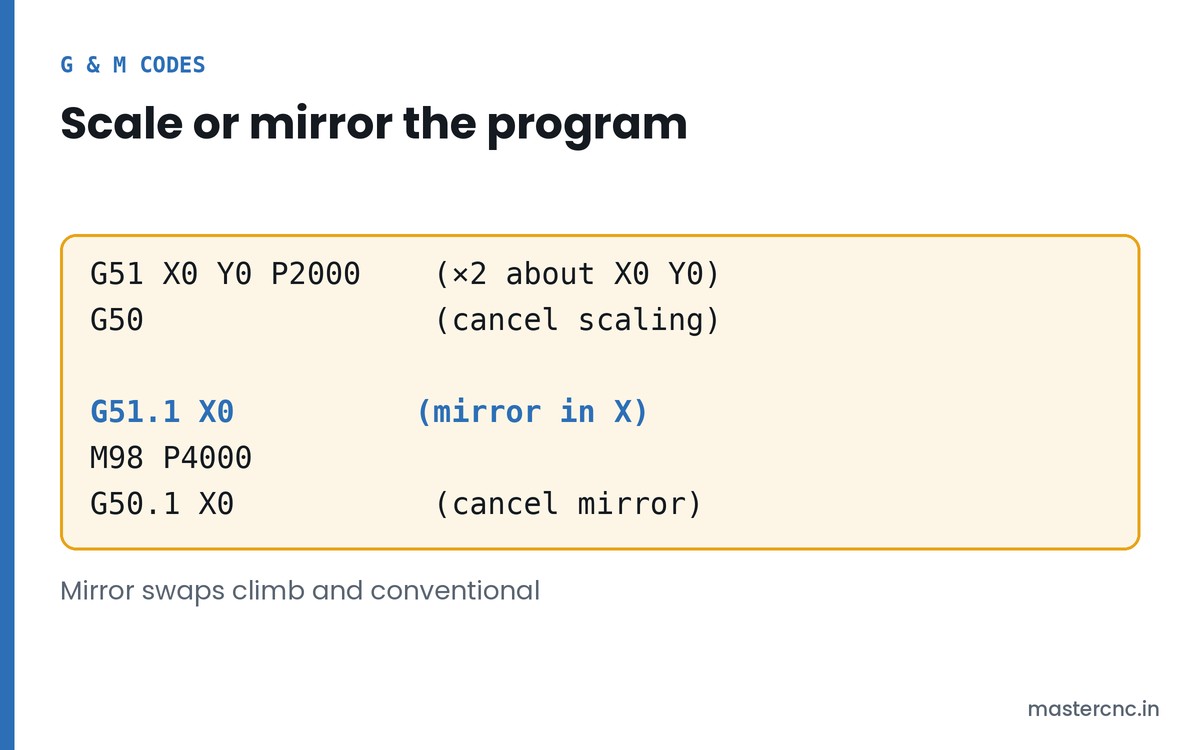
G51: scaling
G51 X0 Y0 P2000  (scale ×2 about X0 Y0)
M98 P4000  (the shape program)
G50  (cancel scaling)
- X Y (Z): the centre of scaling.
- P: the scale factor; on many controls P1000 = ×1, P2000 = ×2, P500 = ×0.5 (the unit is set by parameter). Some controls accept I, J, K for different factors per axis.
- Offsets (tool radius, length) are not scaled.
G51.1: mirror image
M98 P4000  (right-hand part)
G51.1 X0  (mirror about the line X0)
M98 P4000  (left-hand part)
G50.1 X0  (cancel mirror)
Every X value is reflected about X0: X30 becomes X-30. Mirror in Y with G51.1 Y0, or both.
What mirroring changes
- G02 becomes G03 and the other way round.
- G41 becomes G42: a climb-milled outline becomes conventional milling. On finishing passes this can change size and finish. Some programmers write a separate finishing pass for the mirrored part.
- Drilling, tapping: positions mirror, the cycles themselves do not change.
Rules
- Cancel scaling and mirror before tool changes, G28 and M30.
- Start the scaled or mirrored section with an absolute move.
- Do not scale threads, thread milling or anything that depends on a fixed pitch.
- Check the machine's mirror switches too: some machines also have a mirror setting on the operator panel or offset page.
Common mistakes
- Mirroring about X0 when the part zero is not on the mirror line.
- Expecting the tool radius to scale with the shape.
- A mirror image left active by a panel setting from the last job.
Run mirrored and scaled programs in graphics first. Rotation (G68) is covered in coordinate rotation.
Try it in Master CNC
Calculators, process sheet to program, simulation, codes and lessons. Free to start, no sign-in, on phone and laptop.
Open the app