Master
Okuma OSP User Task 2: variables and IF
Okuma's answer to Fanuc Macro B is User Task. User Task 1 gives you variables, maths and jumps; User Task 2 adds more, such as system variables for offsets and positions and maths functions. The ideas are the same as on Fanuc; the spelling is different.
Variables
- Common variables: VC1, VC2 … shared by all programs. The number available depends on the control.
- Local variables: your own short names (letters) used inside one program.
- System variables (User Task 2): names for machine data, for example zero offsets and tool offsets.
Maths and jumps
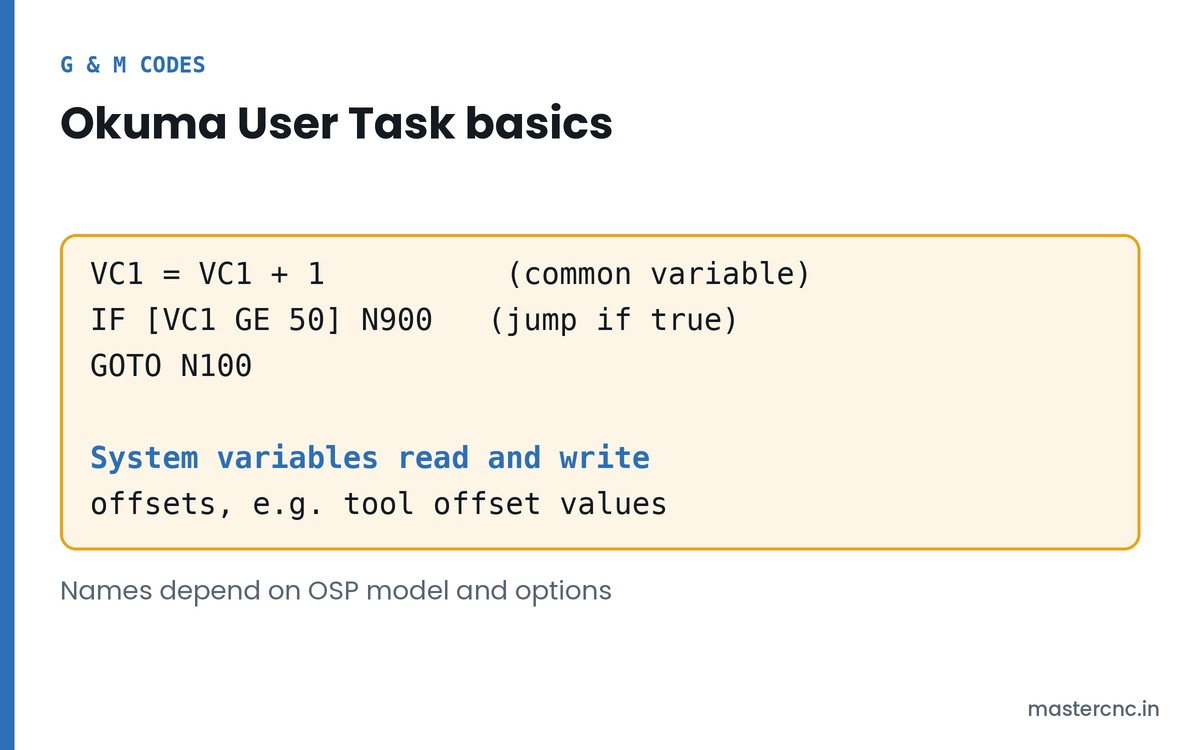
VC1 = VC1 + 1
VC2 = [VC1 * 2] + 5
IF [VC1 GE 50] N900
GOTO N100
Square brackets group the maths. IF [condition] N900 jumps to the block with that sequence name when the condition is true. Comparisons use EQ, NE, GT, GE, LT and LE, like Fanuc.
Example: a part counter
VC10 = VC10 + 1
IF [VC10 LT 50] N100
VC10 = 0
M00 (CHANGE INSERT - 50 PARTS)
N100 M02
The program stops every 50 parts for an insert change. Choose a VC number that no other program or the machine builder uses.
System variables
With User Task 2 a program can read and write data like zero offsets and tool offsets, for example to apply an automatic wear correction. Okuma uses names such as VZOF… for zero offsets and VTOF… for tool offsets, with the axis and number in the name or index. The exact names, and which ones are available, depend on the OSP model, lathe or machining centre, and options: use the User Task manual for your machine before writing to any of them.
Compared with Fanuc Macro B
| Idea | Fanuc Macro B | Okuma User Task |
|---|---|---|
| Common variable | #100, #500 | VC1, VC2 … |
| Jump if | IF [ … ] GOTO 100 | IF [ … ] N100 |
| Loop | WHILE … DO1 / END1 | Built with IF and GOTO |
| Subprogram | M98 / G65 | CALL O… / RTS |
See Fanuc Macro B basics for the Fanuc side.
Common mistakes
- Copying Fanuc # variables into an Okuma program.
- Writing to a system variable without knowing exactly what it changes.
- Using a VC number already used by a probe or builder program.
User Task availability and syntax vary between OSP versions. Test new logic with the machine locked or in graphics first.
Calculators, process sheet to program, simulation, codes and lessons. Free to start, no sign-in, on phone and laptop.
Open the app