Master
Tool setter (Q-setter) on a lathe
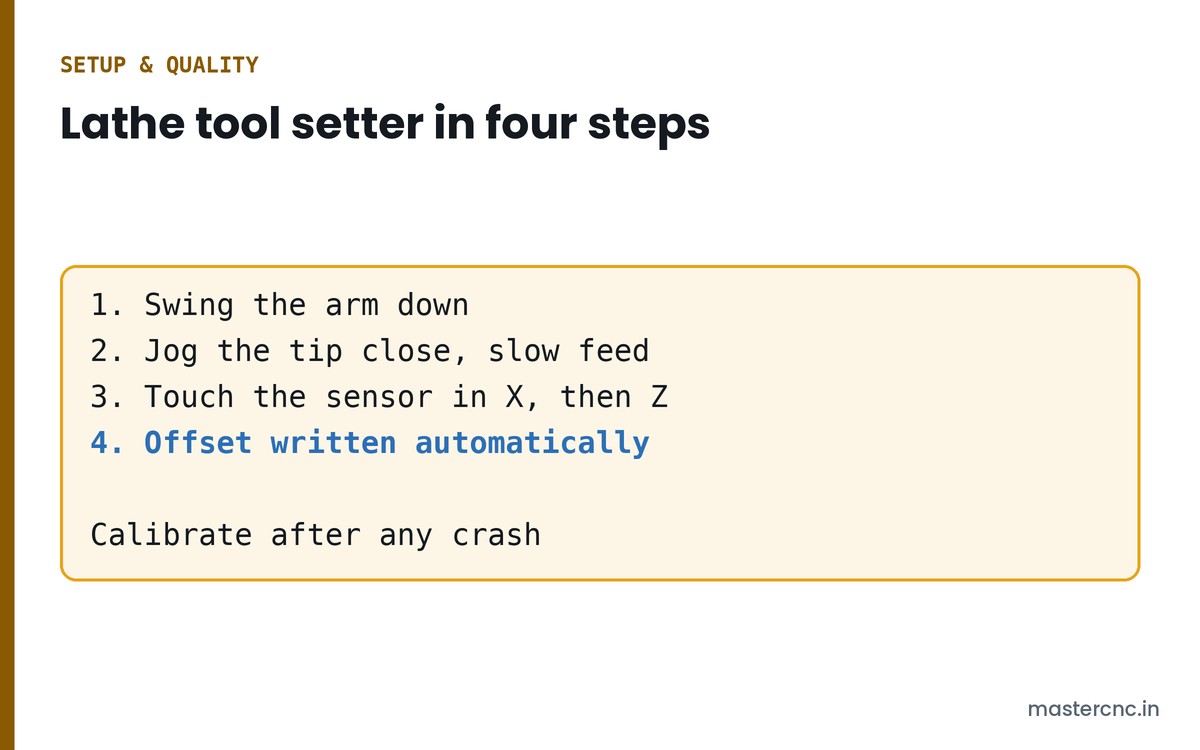
Many CNC lathes have a tool setter: an arm that swings down in front of the chuck with a small square touch sensor. Touch the tool tip against it and the control writes the offset itself. It is faster and more repeatable than cutting and measuring (see touch-off method), and does not need a test cut.
How it works
The sensor is at a known position in machine coordinates, set during calibration. When the tool tip touches a face of the sensor, the control knows exactly where the tip is and calculates the X or Z geometry offset.
Using it
- Select the tool and the offset number on the offset page (on many machines the setter screen follows the selected tool).
- Swing the arm down (often with a button or M code).
- Jog the tool tip close to the sensor face for the direction you want: the X face for outside tools, the right face for Z.
- Switch to slow jog or handwheel. Move onto the sensor until it signals contact; the axis stops and the offset is written.
- Back away, then touch the other face for the other axis.
- Swing the arm back up before running.
Use the right sensor faces for each tool type: OD tools, boring bars, drills and threading tools approach from different sides.
Z and the work shift
The setter gives every tool's Z from the same machine reference. You still need to tell the control where the part face is: set the work shift (or work offset) once, by touching the face with one tool and entering it on the work shift page. Then all tools are right for that part.
Keep it accurate
- Clean the sensor faces before use: a chip changes the offset.
- Recalibrate after a crash, after the arm is knocked, and at regular intervals, with the builder's procedure.
- Check a new offset with a test cut on critical jobs.
Common mistakes
- Approaching too fast: the sensor or tool gets damaged.
- Wrong offset number selected.
- Arm left down when the program starts.
- Touching with the wrong part of the insert (not the theoretical tip).
Arm control, screens and calibration differ by machine builder. Follow your machine's manual.
Calculators, process sheet to program, simulation, codes and lessons. Free to start, no sign-in, on phone and laptop.
Open the app