Master
Trigonometry for CNC programmers
Most programming calculations come down to one right-angle triangle: a chamfer, a taper, a hole position, a distance. Four formulas and a calculator in degree mode cover nearly all of them.
The four formulas
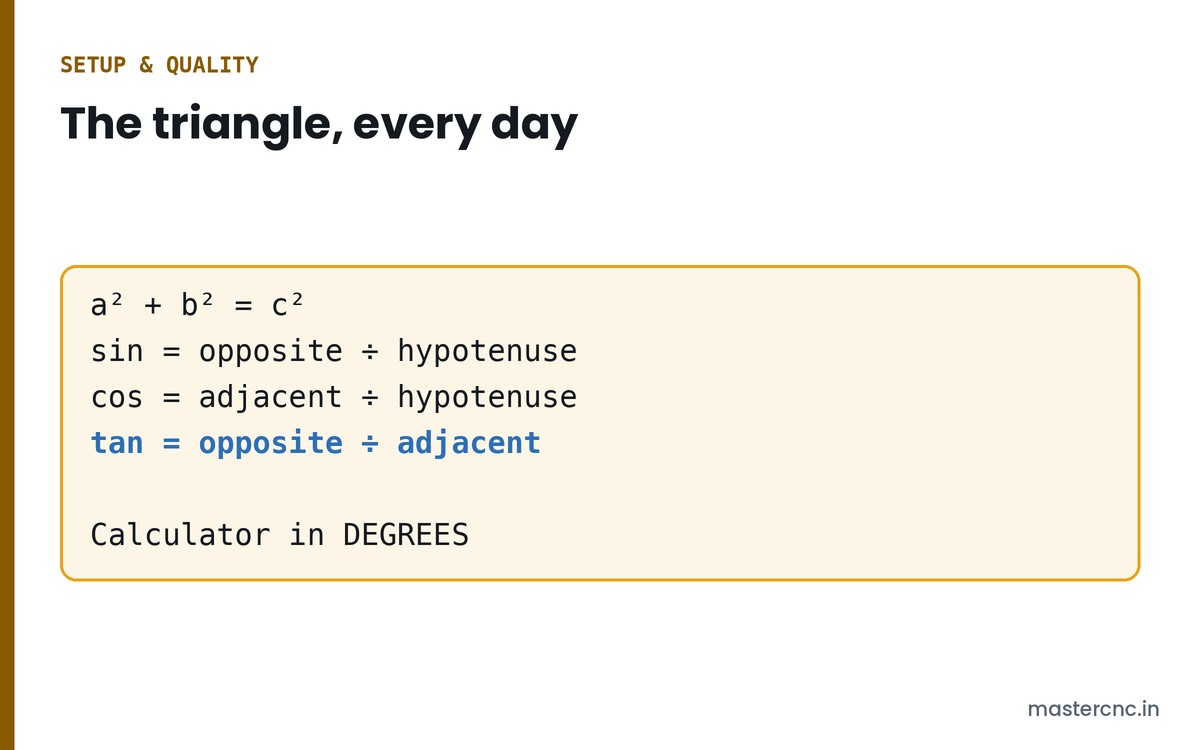
Pythagoras:  c² = a² + b²
sin A = opposite ÷ hypotenuse
cos A = adjacent ÷ hypotenuse
tan A = opposite ÷ adjacent
Opposite and adjacent are the sides opposite and next to the angle A; the hypotenuse is the long side opposite the right angle. To find an angle, use the inverse: A = tan⁻¹(opposite ÷ adjacent), and so on.
Example 1: distance between two holes
Hole A at X10 Y10, hole B at X40 Y50. dX = 30, dY = 40.
distance = √(30² + 40²) = √2500 = 50 mm
angle  = tan⁻¹(40 ÷ 30) = 53.13°
Example 2: chamfer depth
A 2 mm long chamfer at 30° to the axis. Radial depth = 2 × tan 30° = 1.155 mm, so 2.309 on a lathe diameter (see chamfer points).
Example 3: taper angle
Ø40 to Ø30 over 50 mm: half the diameter difference is 5. Half angle = tan⁻¹(5 ÷ 50) = 5.711° (see taper calculation).
Example 4: a point on a circle
A hole on a Ø100 circle at 30°: X = 50 × cos 30° = 43.301, Y = 50 × sin 30° = 25.000 (see bolt hole circle).
Example 5: depth of a V or a drill point
A 118° drill point on a Ø10 drill: half angle 59°, radius 5. Point length = 5 ÷ tan 59° = 3.004 mm, which is where the 0.3 × D rule comes from.
Example 6: a sine bar
To set 10° on a 100 mm sine bar: gauge block height = 100 × sin 10° = 17.365 mm.
Tips
- Check the calculator is in degrees, not radians.
- Keep at least four decimal places until the end, then round to three for mm.
- Draw the triangle and label the sides before you calculate.
- Check with a second method: Pythagoras on the sides you calculated.
The Master CNC app calculators handle chamfers, tapers and bolt circles; this post explains the maths behind them.
Calculators, process sheet to program, simulation, codes and lessons. Free to start, no sign-in, on phone and laptop.
Open the app