Master
Servo excess error alarm: causes
A servo excess error alarm means an axis did not end up where the control told it to be. The difference between the command and the real position grew bigger than a set limit, so the control stopped the machine. Something is holding the axis back or the drive cannot push it.
The alarms
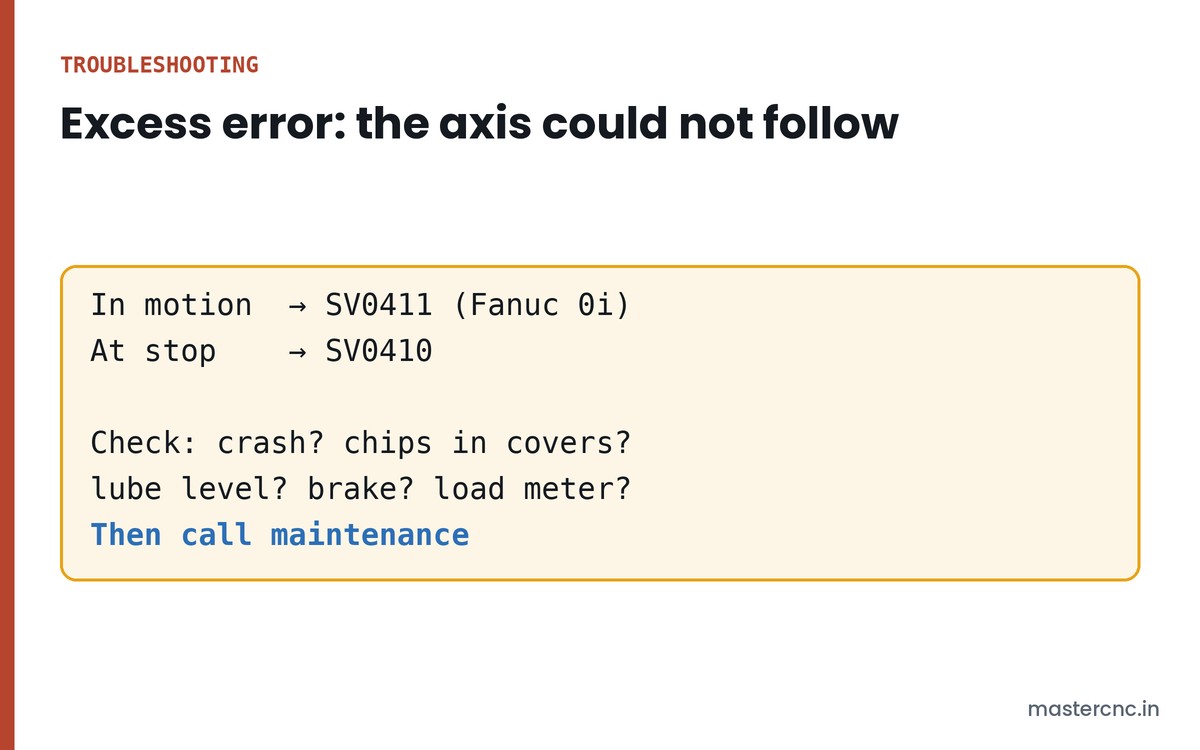
On Fanuc 0i-series controls you usually see SV0411 (excess error while moving) or SV0410 (excess error while stopped). Other controls have their own numbers, but the meaning is the same.
Common causes
- A collision or the axis blocked: the tool, turret or table hit something.
- Chips or damage in the way covers jamming the axis.
- Lubrication: empty lube tank or a blocked line, so the slides get stiff.
- Too heavy a cut or a very high feed on a weak axis.
- Vertical axis brake not releasing (Z on a mill, or a vertical slide).
- Gibs or slides too tight after an adjustment.
- Electrical: motor, encoder, cable or drive fault, often with other servo alarms at the same time.
What the operator can check safely
- Note the alarm number, the axis, and what the machine was doing.
- Look for a collision, a tool in the part, chips packed in the covers.
- Check the lube oil level and the lube alarm history.
- Check the axis load meter in the earlier runs: was it high?
- If the cause is clear and simple (for example a crash), report it before resetting.
When to call maintenance
Always, if the alarm comes back, appears with other SV alarms, or there is no clear cause. Repeated resets on a blocked axis can damage the ball screw, couplings or motor.
Common mistakes
- Resetting and running again at once.
- Ignoring the lube alarm that came earlier.
- Forcing the axis by hand-jogging against the block.
Alarm numbers and procedures are in your control and machine builder's maintenance manuals. Electrical checks are for trained maintenance staff only.
Calculators, process sheet to program, simulation, codes and lessons. Free to start, no sign-in, on phone and laptop.
Open the app