Master
Overtravel alarm: how to recover safely
An overtravel alarm means an axis tried to move past its allowed travel. The control stops the axis before it hits the end of the machine. It is a safety stop, not a fault, but it always has a cause, and you must find it before running again.
Soft and hard limits
- Soft limit (stored stroke check): a limit in the control's parameters, a little inside the real end of travel. The axis stops before it gets there. On many Fanuc controls this shows as an OT alarm such as OT0500 (+ direction) or OT0501 (− direction); the exact number depends on the control.
- Hard limit: a limit switch at the end of the axis. If it is hit, the drives usually stop with an emergency-type alarm. This is more serious.
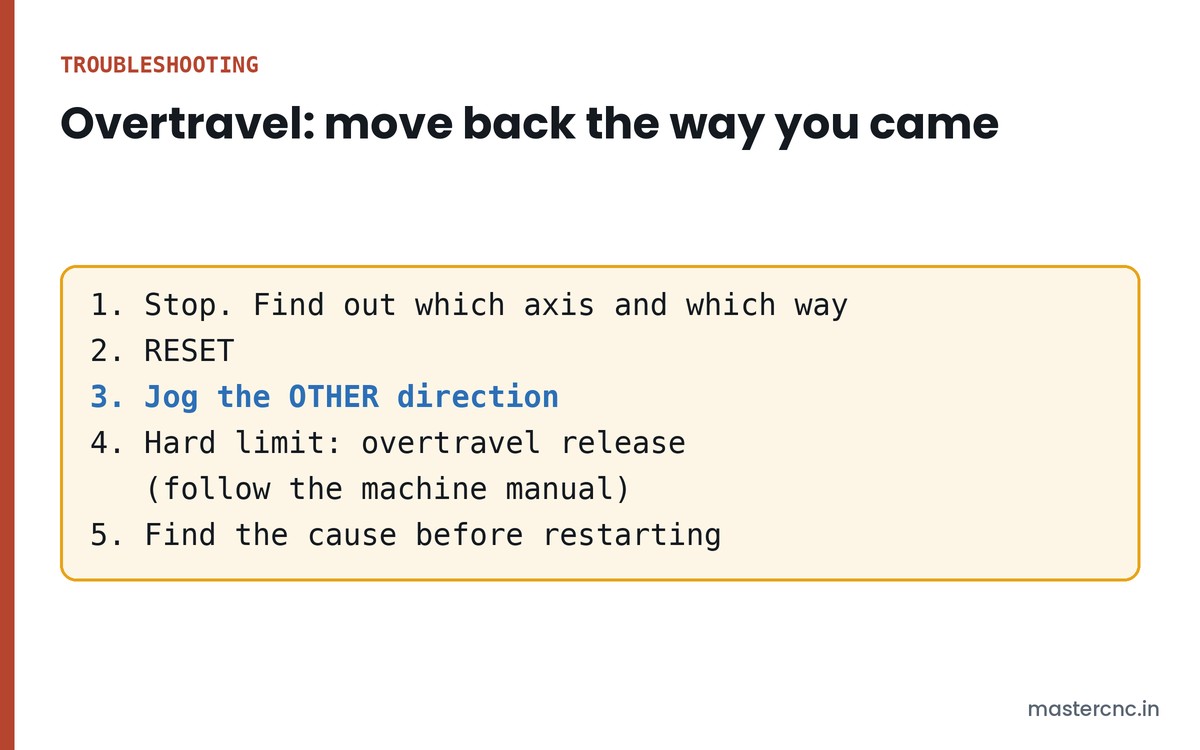
Recovering from a soft overtravel
- Read the alarm: which axis, and plus or minus.
- Press RESET.
- Switch to JOG or handwheel mode.
- Move that axis in the opposite direction. The control usually allows only that direction.
- Move a safe distance away, then check the position on the screen.
Recovering from a hard limit
Machines handle this differently. Many have an overtravel release button or key that you hold while jogging the axis back off the switch. Follow your machine builder's manual, go slowly, and check for any collision before moving. If you are not sure, call maintenance.
What causes overtravel
- Wrong work offset: G54 set in the wrong place, or the program calls G55 by mistake.
- Wrong tool offset or a missing
G43 H_on a mill: the Z positions are far from where you think. - G91 left on: an incremental mode from an earlier block makes the next moves add up.
- A typing mistake: X400. instead of X40.
- G28 used wrongly:
G28 Z0in G90 moves through Z0 of the part first. See the G28 post in this series. - Jogging too far during setup.
- Machine not homed after power on: on some machines the soft limits are not active, or are wrong, until the reference return is done.
Before you restart
- Check the program line where it stopped.
- Check G54 – G59 and the active tool offset.
- Restart from a safe tool start, not from the middle of a cut (see the safe restart post in this series).
Common mistakes
- Jogging further in the same direction "to clear it".
- Changing the soft limit parameters to make the alarm go away.
- Restarting the same program without finding why it happened.
Alarm numbers and the release procedure are machine-specific. Your machine builder's manual is the reference; when in doubt, ask maintenance.
Calculators, process sheet to program, simulation, codes and lessons. Free to start, no sign-in, on phone and laptop.
Open the app