Master
Fanuc alarm types: what PS, SV, OT, SP and OH mean
On current Fanuc controls every alarm has a two-letter prefix and a number, for example PS0010 or SV0411. The letters tell you which part of the system raised it, and so who should deal with it. Reading them first saves a lot of guessing.
The main groups
| Prefix | Group | Usually means |
|---|---|---|
| PS | Program | Something in the program the control cannot run |
| BG | Background edit | Error while editing a program in background |
| SR | Communication / reader-punch | Program transfer or memory card problem |
| SW | Parameter write | Parameter write is switched on |
| PW | Power off required | A parameter was changed; switch the power off and on |
| IO | Memory / file | Program memory or file problem |
| OT | Overtravel | An axis reached its limit |
| SV | Servo | Axis drive, motor or encoder problem |
| SP | Spindle | Spindle drive or motor problem |
| OH | Overheat | Control, drive or motor too hot |
| DS | Other | Various system conditions |
| EX (external) | Machine builder | Messages from the machine's own logic: doors, lube, air, chuck |
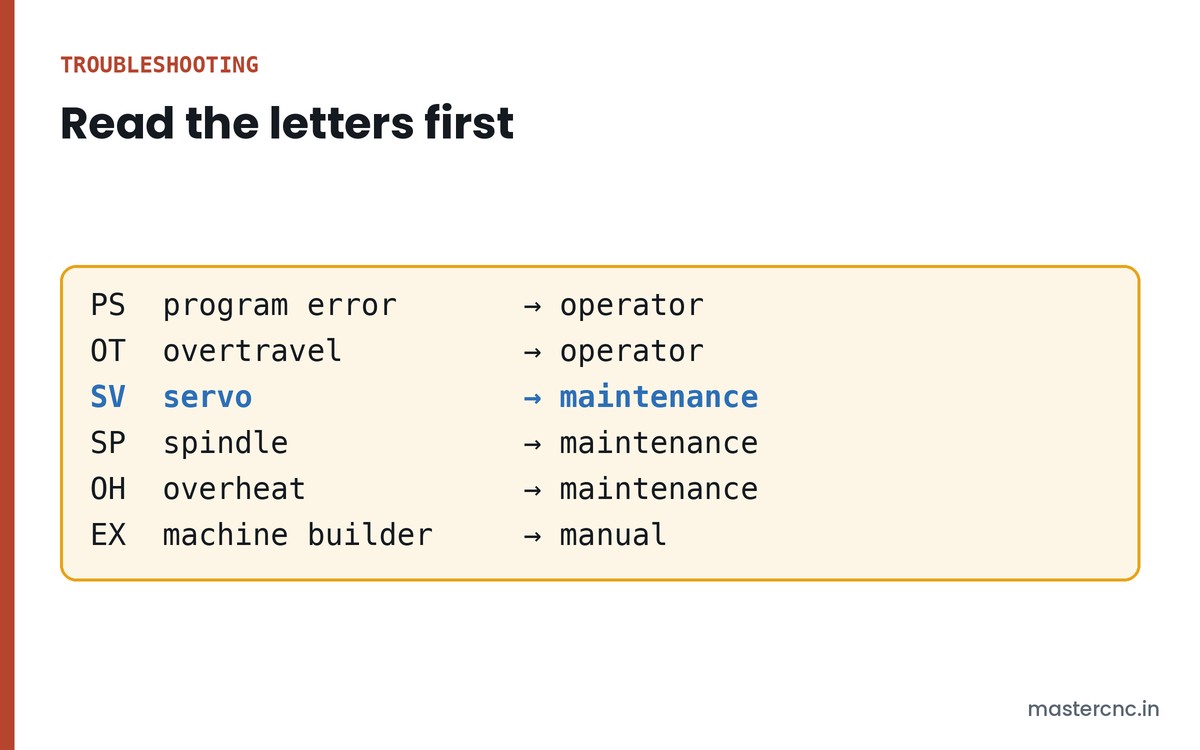
Who fixes what
- PS, OT: usually the operator or programmer. Check the program line, offsets and positions. See overtravel recovery.
- SW, PW: someone changed parameters. Find out who and why before switching off.
- SV, SP, OH: maintenance. Note the exact number and what the machine was doing, then call. Do not keep resetting and restarting.
- Machine builder messages: the builder's manual lists them: low lube, low air, door open, chuck not clamped and so on. Many are simple to fix.
What to write down
- The full alarm number and text.
- The program, line number and tool when it happened.
- What the machine was doing (rapid, cutting, tool change, warm-up).
- Whether it happens again after reset.
The alarm history page (on most Fanuc controls under the MESSAGE key) keeps a list with times. Photograph it for maintenance.
Common mistakes
- Resetting an SV or SP alarm again and again without finding the cause.
- Switching off to clear an alarm and losing the information on the screen.
- Changing parameters to "remove" an alarm.
The exact meaning of each number is in the Fanuc maintenance manual for your control series. Common program alarms are explained in a separate post in this series.
Try it in Master CNC
Calculators, process sheet to program, simulation, codes and lessons. Free to start, no sign-in, on phone and laptop.
Open the app