Master
VMC vises and fixtures basics
On a machining centre most parts are held in a vise or on a fixture. Good workholding makes parts accurate and repeatable; poor workholding causes chatter, moved parts and scrap. These are the basics every setter should follow.
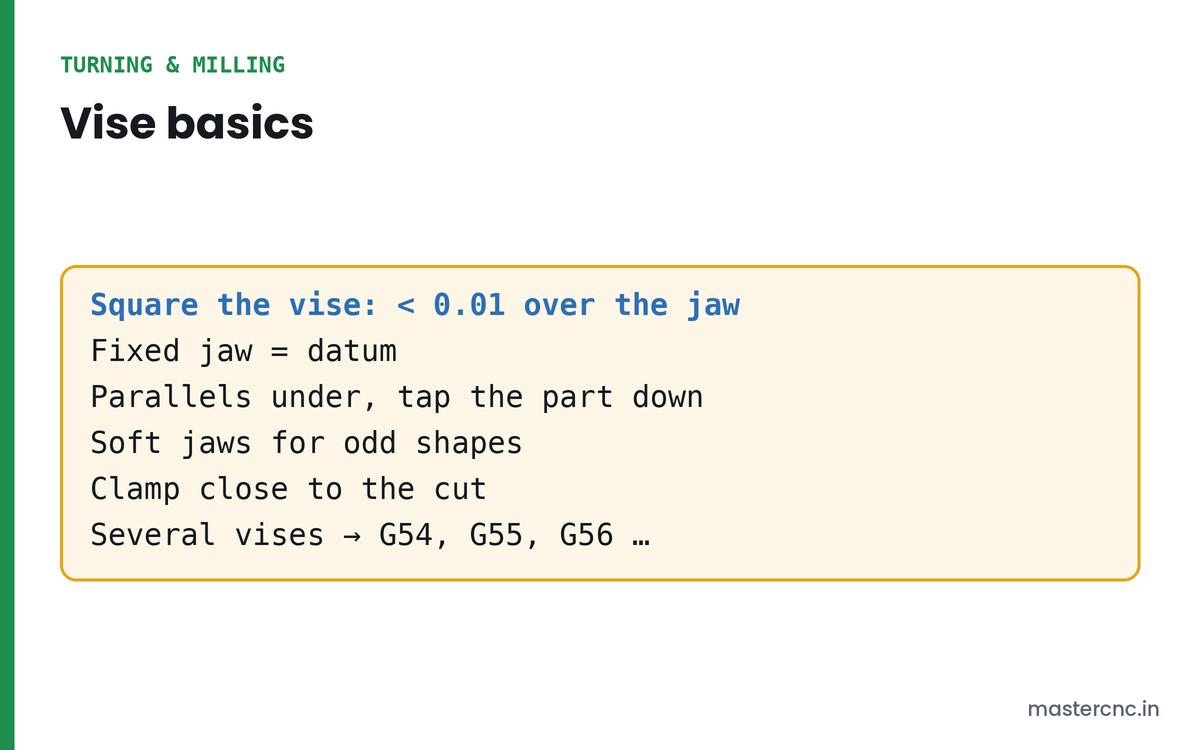
Setting the vise square
- Clean the table and the vise base.
- Bolt the vise down lightly.
- Put a dial indicator in the spindle and run it along the fixed jaw in X.
- Tap the vise until the reading changes by less than about 0.01 mm along the jaw, then tighten fully and check again.
Clamping a part
- The fixed jaw is your reference. Set the work offset from it, not the moving jaw.
- Use parallels under the part to lift it to the height you need, with the cutting area above the jaws.
- Tighten, then tap the part down with a soft mallet until the parallels cannot be moved by hand.
- Grip as much of the part as you can, and clamp close to the cut.
- Do not over-tighten thin parts: they bend, are machined flat, then spring back when released.
Soft jaws
Aluminium or steel jaws milled to the shape of the part. They hold odd shapes, protect finished surfaces and locate the part in the same place every time. Mill them in the vise, clamped on a spacer at the clamping pressure you will use.
Fixtures and zero-point systems
- Fixture plates with a grid of holes and dowels locate parts or vises in known positions.
- Zero-point clamping systems let you change fixtures and vises in minutes, with high repeatability, so work offsets stay valid.
Several parts at once
With two to four vises on the table, give each vise its own work offset (G54, G55, G56, G57) and call the same part program for each one. Or use G52 shifts (see G52 and G92). Several parts per cycle means fewer tool changes per part.
Common mistakes
- Setting the work offset from the moving jaw.
- Part not seated on the parallels.
- Chips under the part or on the jaws.
- Vise not checked square after a crash or a move.
For finding the part zero, see edge finder and touch probe.
Calculators, process sheet to program, simulation, codes and lessons. Free to start, no sign-in, on phone and laptop.
Open the app