Master
Insert shapes: C, D, V, W, T, S, R compared
The first letter of an insert code is its shape (see insert codes). Shape decides three things: how strong the corner is, how many edges you get, and which profiles the insert can reach.
The rule
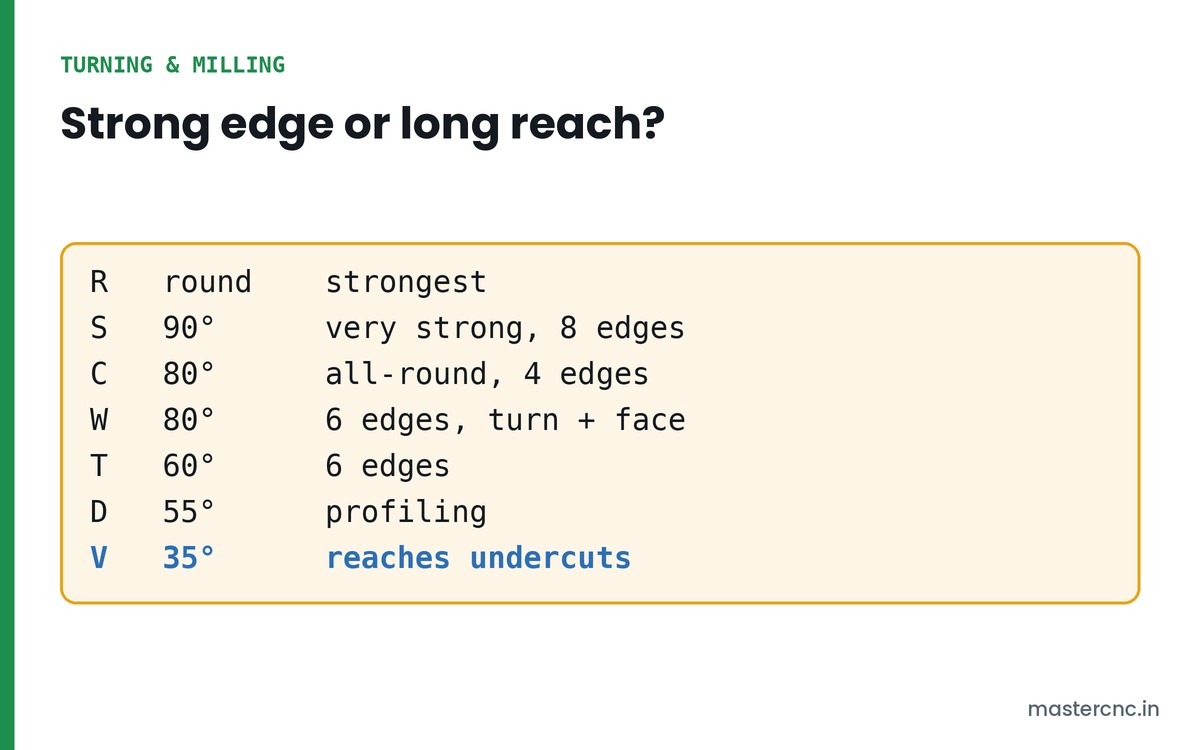
Bigger corner angle = stronger edge and more cutting force. Smaller corner angle = better reach into profiles, but a weaker corner. Pick the strongest shape that can still cut the whole profile.
Comparison
| Shape | Corner | Edges (negative insert) | Best for |
|---|---|---|---|
| R | Round | Many | Heavy roughing, radii, interrupted cuts |
| S | 90° | 8 | Roughing and chamfering with lead-angle holders |
| C | 80° | 4 | General turning and facing, the default choice |
| W | 80° trigon | 6 | Turning and facing, economical |
| T | 60° | 6 | General turning, some profiling |
| D | 55° | 4 | Copy turning and profiles with slopes |
| V | 35° | 4 | Fine profiles, undercuts, finishing |
Matching shape to the job
- Bar roughing, square shoulders: C or W with a 95° holder.
- Profiles with slopes going down (towards the chuck and smaller in X): D or V, see G71 Type II.
- Heavy roughing on rough stock: S or R.
- Finishing a complex profile in one pass: V or D with a small nose radius.
Depth of cut and shape
Small corner angles cannot take as much depth. A rough guide is up to about 2/3 of the edge length for C and W, less for D and much less for V. Check the insert's range in the catalogue (see why inserts break).
Common mistakes
- Roughing with a V insert because it is already in the turret.
- A C insert used to profile a slope it cannot reach: the back of the insert rubs.
- Choosing shape before checking the holder's lead angle.
Fewer different shapes in the turret means fewer tool changes: a C plus a V or D covers most turned parts.
Calculators, process sheet to program, simulation, codes and lessons. Free to start, no sign-in, on phone and laptop.
Open the app